
Opening Candidate Management
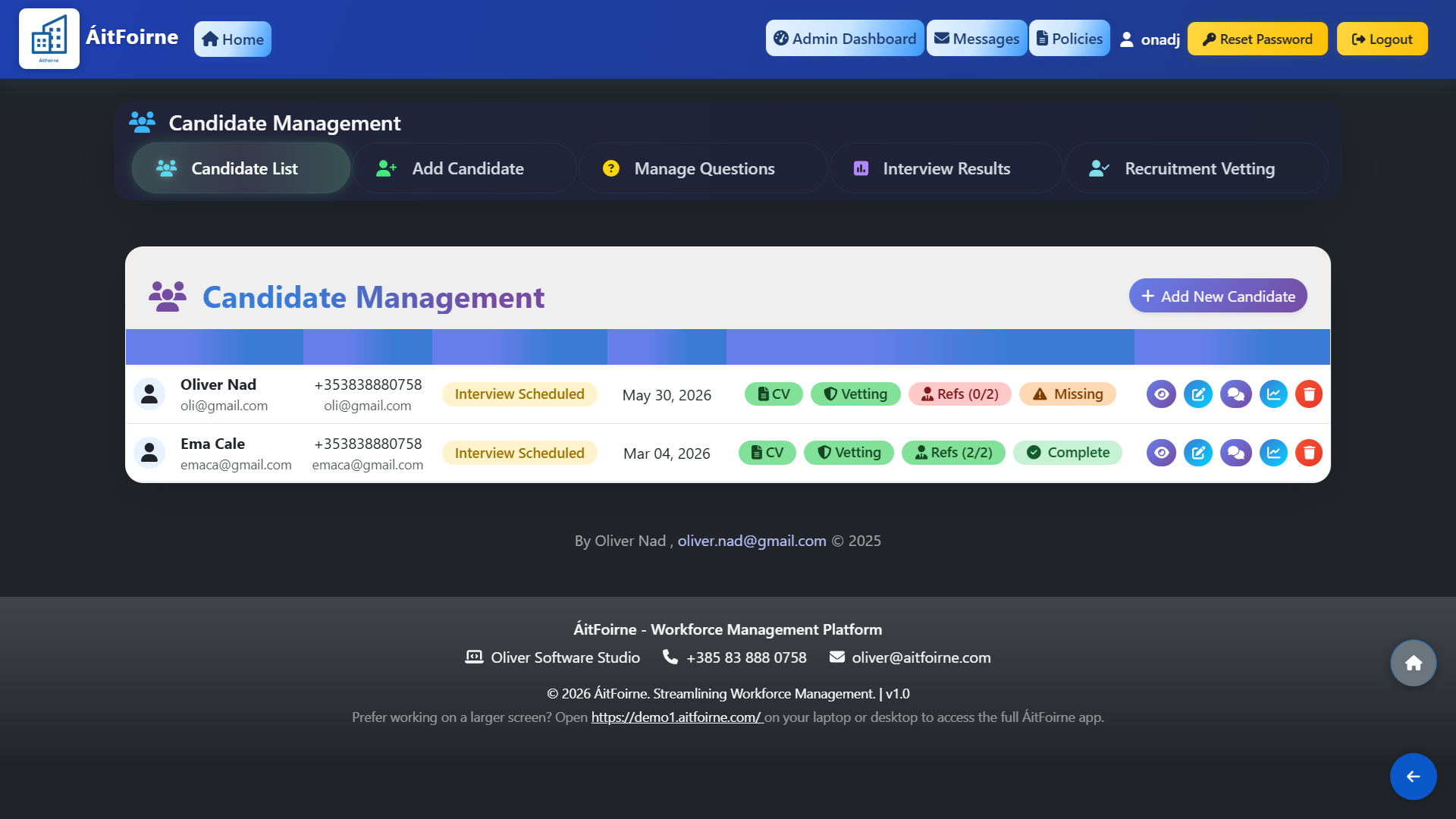
From the main dashboard, go to Recruitment and click Candidate List. You will see all candidates listed with their name, contact details, current status and a set of colour-coded document indicators showing the completeness of their application:
- CV — green if uploaded, red if missing.
- Vetting — green if Garda vetting documents have been submitted.
- Refs — green when both references have been provided (shown as 2/2).
- Complete — green when all required documents are in order.
This colour system allows you to instantly identify which candidates are fully ready and which still require follow-up without having to open each record individually.
Adding a New Candidate
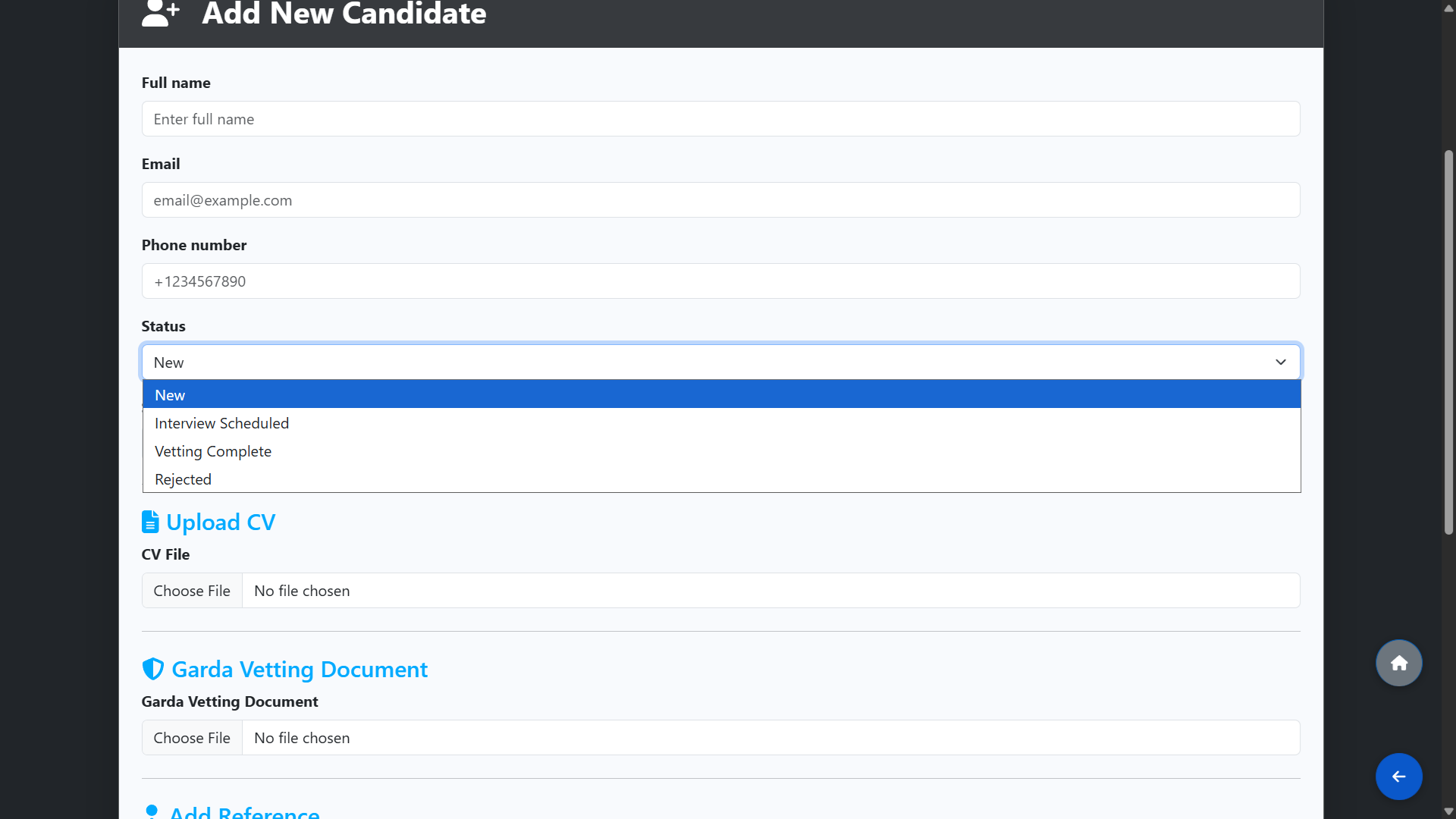
To add a new candidate, click Add New Candidate or go to Add Candidate in the top navigation. Fill in the candidate's details including their name, email address, phone number and start date. Set the initial Status using the dropdown:
- New — candidate has just applied or been added.
- Interview Scheduled — an interview has been arranged.
- Vetting Complete — all vetting documents have been received and verified.
- Rejected — the candidate was not successful.
You can also upload their CV and Garda vetting documents at this stage, and add up to two references with a name and contact number for each.
Keeping Candidates on File
If a candidate was not successful on this occasion but may be suitable for a future role, their record can be kept on file in the system. When a new position becomes available, you can search the candidate list before advertising the role to check whether a suitable candidate has already applied in the past. This can save significant time by identifying candidates you already have results and documentation for, avoiding the need to start the process from scratch.