Navigate to Employee Permissions
From the main dashboard, go to Employee Permissions.
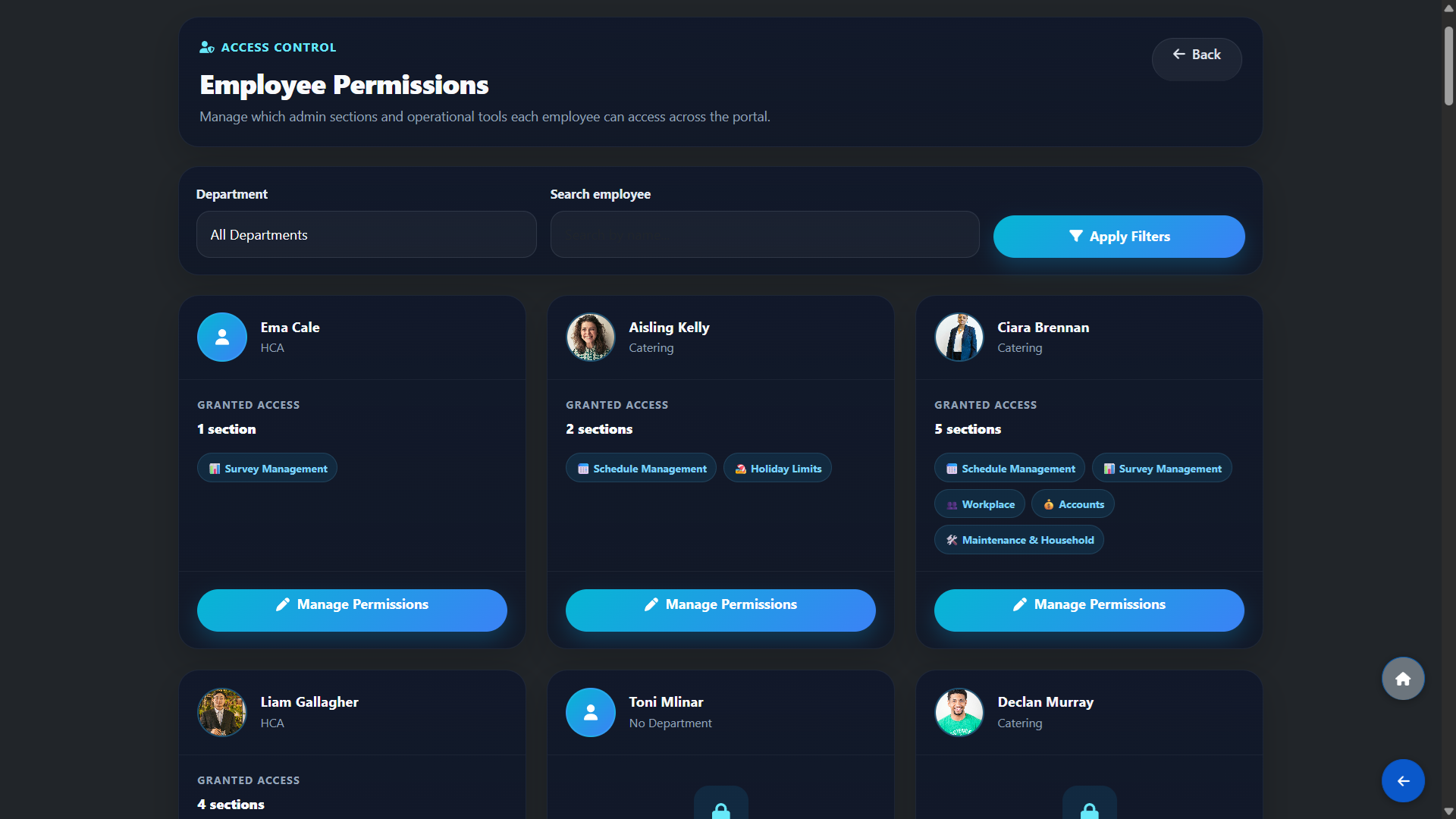
You will see a card for every employee showing their name, department, how many sections they currently have access to, and which sections those are.
Use the Department filter or the Search employee field to quickly find a specific person, then click Apply Filters
Grant or Remove Access
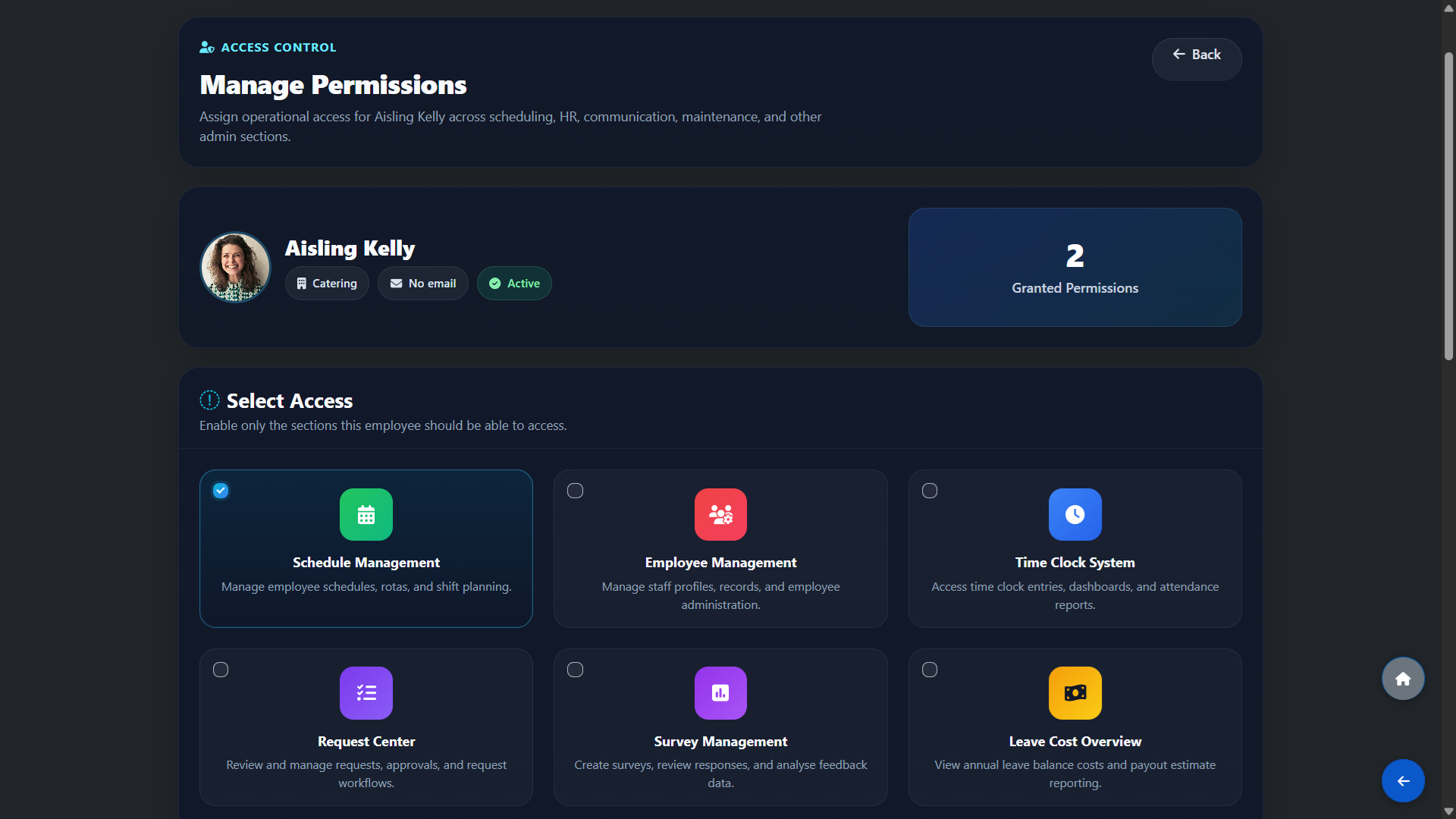
Click Manage Permissions on any employee card. A panel will open listing all available sections. Toggle on the sections you want to grant access to and save.
The selected sections will immediately appear on that employee's portal the next time they log in.
Any section you grant access to will be visible and usable by the employee — for example, granting Schedule Management allows them to create and edit rosters, granting Workplace allows them to post announcements and photos in the internal feed, and granting Recruitment allows them to manage candidates and the hiring pipeline.
What Each Section Does
The following sections can be granted to any employee:
Schedule Management — create, modify and publish rosters including auto-scheduling.
Time Clock System — monitor employee clock-in/out and view attendance reports.
Employee/Department Management — manage staff profiles, departments and shift settings.
Request Center — review and approve time-off and shift swap requests.
Certifications — track employee credentials and training compliance.
Company Policies — upload and manage compliance policies.
Recruitment — manage job candidates and the hiring process.
WTE — manage Whole-Time Equivalent settings for shift coverage planning.
Annual Leave Hours & Cost — view holiday balances and estimated payout costs.
Holiday Limits — set how many employees can be on leave on any given day.
HR Management — manage contracts, appraisals and disciplinary records.
Communication Hub — send announcements and team messages.
Workplace — post and manage the internal company news feed.
Survey Management — create surveys and review staff feedback.
Audit & Compliance — manage internal audits and compliance checks.
Breaks Overview — review and export employee break records.
Maintenance — report and track facility maintenance issues.
Support Center - Open support tickets and request remote sessions for quick problem resolution.
Accounts & Payroll — manage payroll, payslips and HR finances.