Live Dashboard
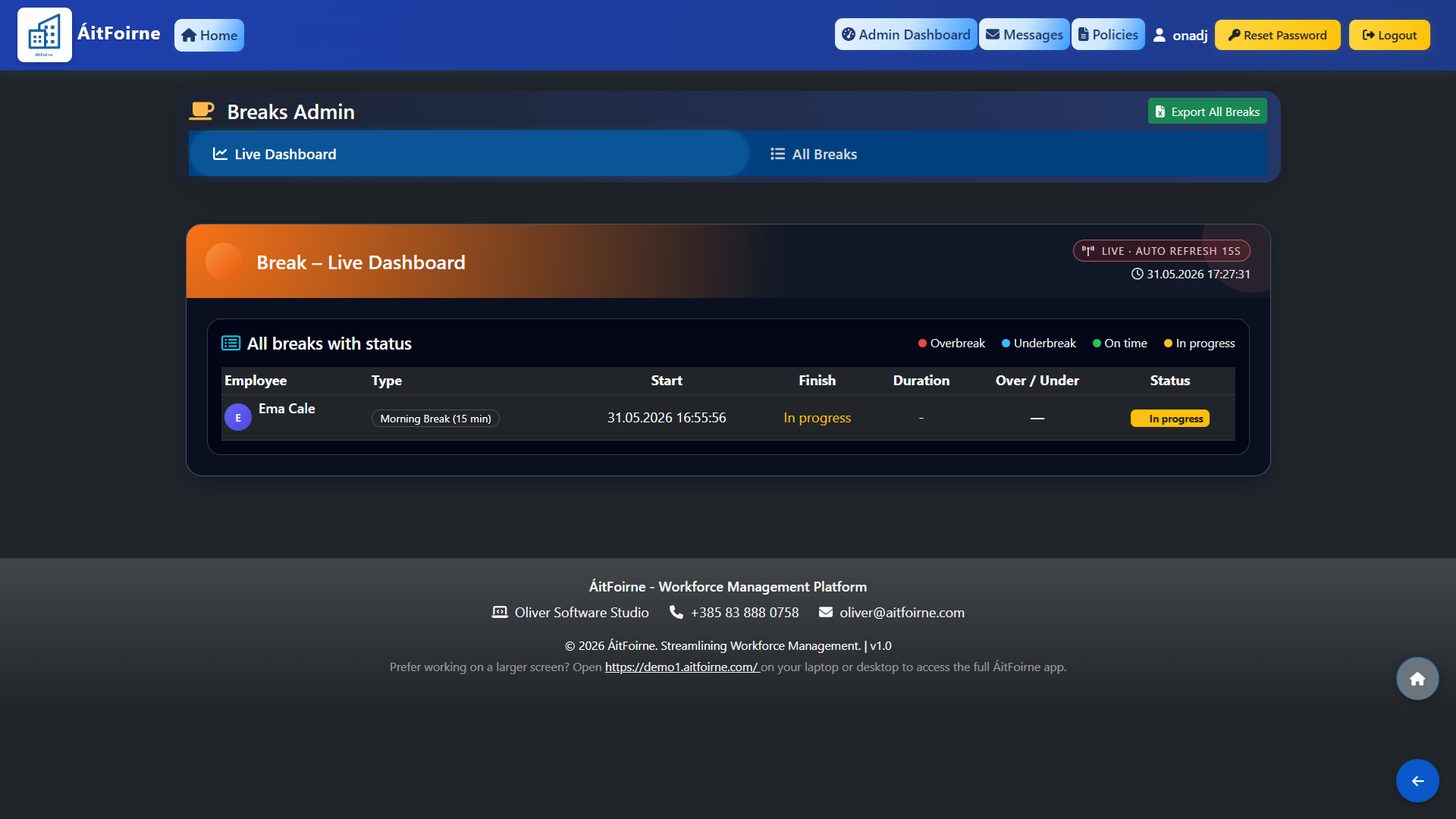
Open Breaks Admin and click Live Dashboard. The dashboard auto-refreshes every 15 seconds and shows all breaks currently in progress across your facility in real time. Each entry displays the employee name, break type, start time, finish time, duration and an Over/Under indicator showing how the actual break compares to the scheduled length. Break statuses are colour-coded for quick reading:
- In progress — break is currently active.
- On time — break was completed within the expected duration.
- Underbreak — employee returned before the break was due to end.
- Overbreak — employee exceeded the break duration.
All Breaks & Exporting
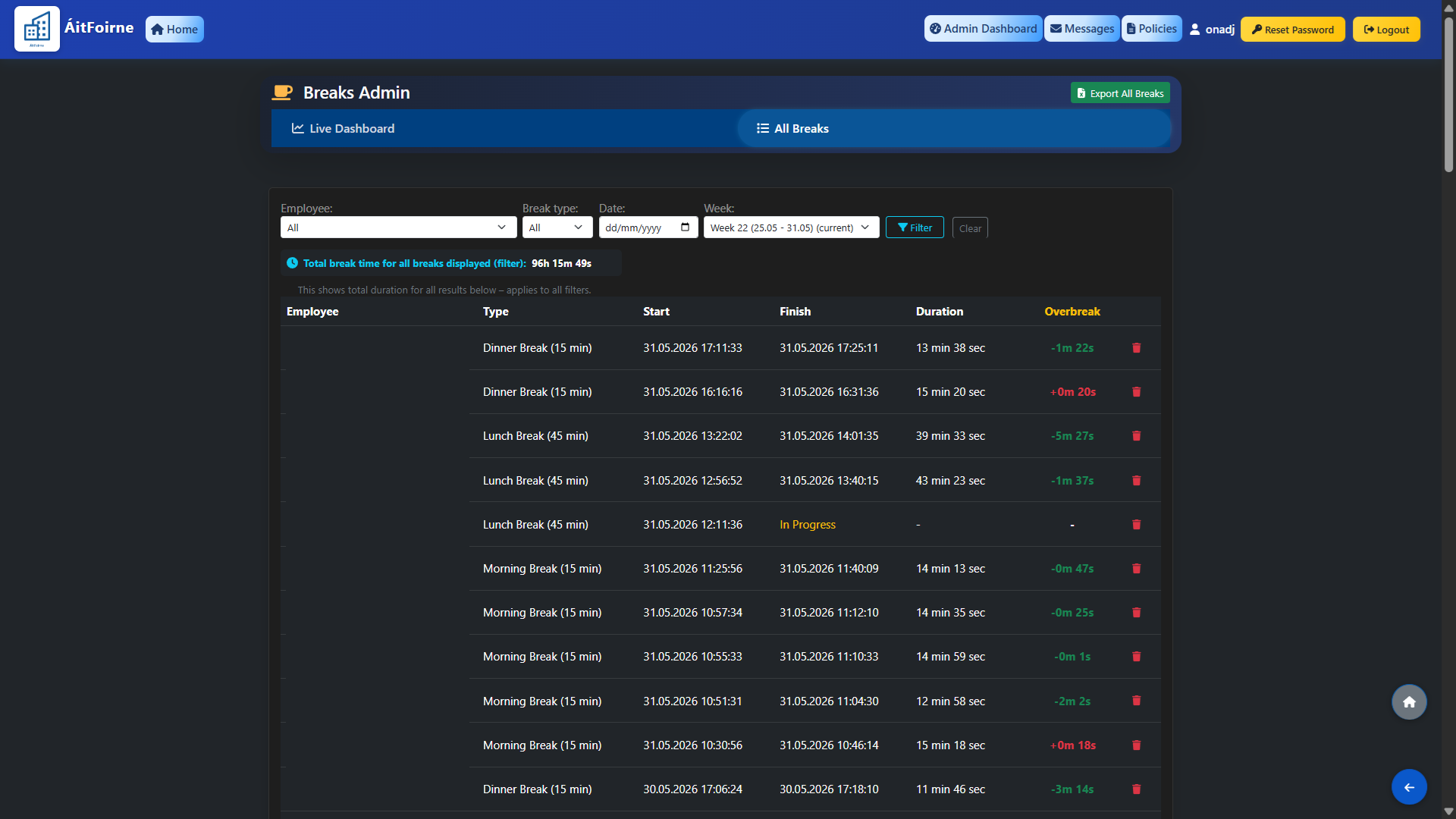
Click All Breaks to view the full historical record of every break logged in the system. Use the filters to narrow by employee, break type or date range to find exactly what you need. The full break history can be exported to Excel at any time using the Export All Breaks button in the top right corner, allowing you to use the data for payroll review, compliance reporting or further analysis.